
Description
AI translation for WordPress that you actually own. Multilanga translates your whole WordPress & WooCommerce site with AI and stores every translation in your own database, not a vendor cloud. Stop paying and your site stays multilingual, forever. It’s the fast, private, no-lock-in alternative to cloud translation services.
Everything runs inside wp-admin, in a clean, modern interface. No external dashboard, no separate account. A short setup wizard gets your homepage translated in about a minute, and nothing is sent to our servers until you connect to the AI service.
Features
- Unlimited languages: translate into 85 languages, with no cap on how many you use, on every plan (including the free one).
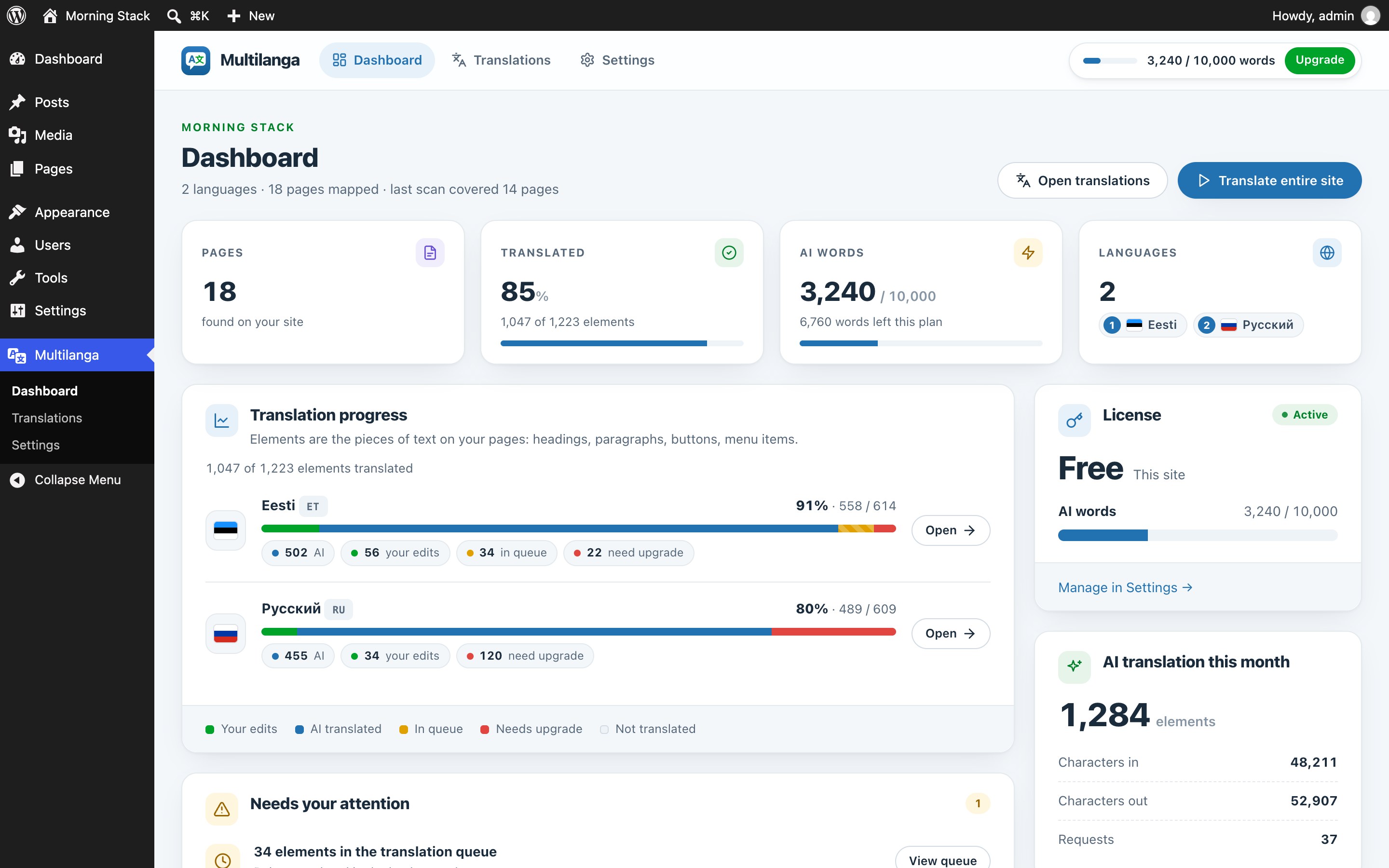
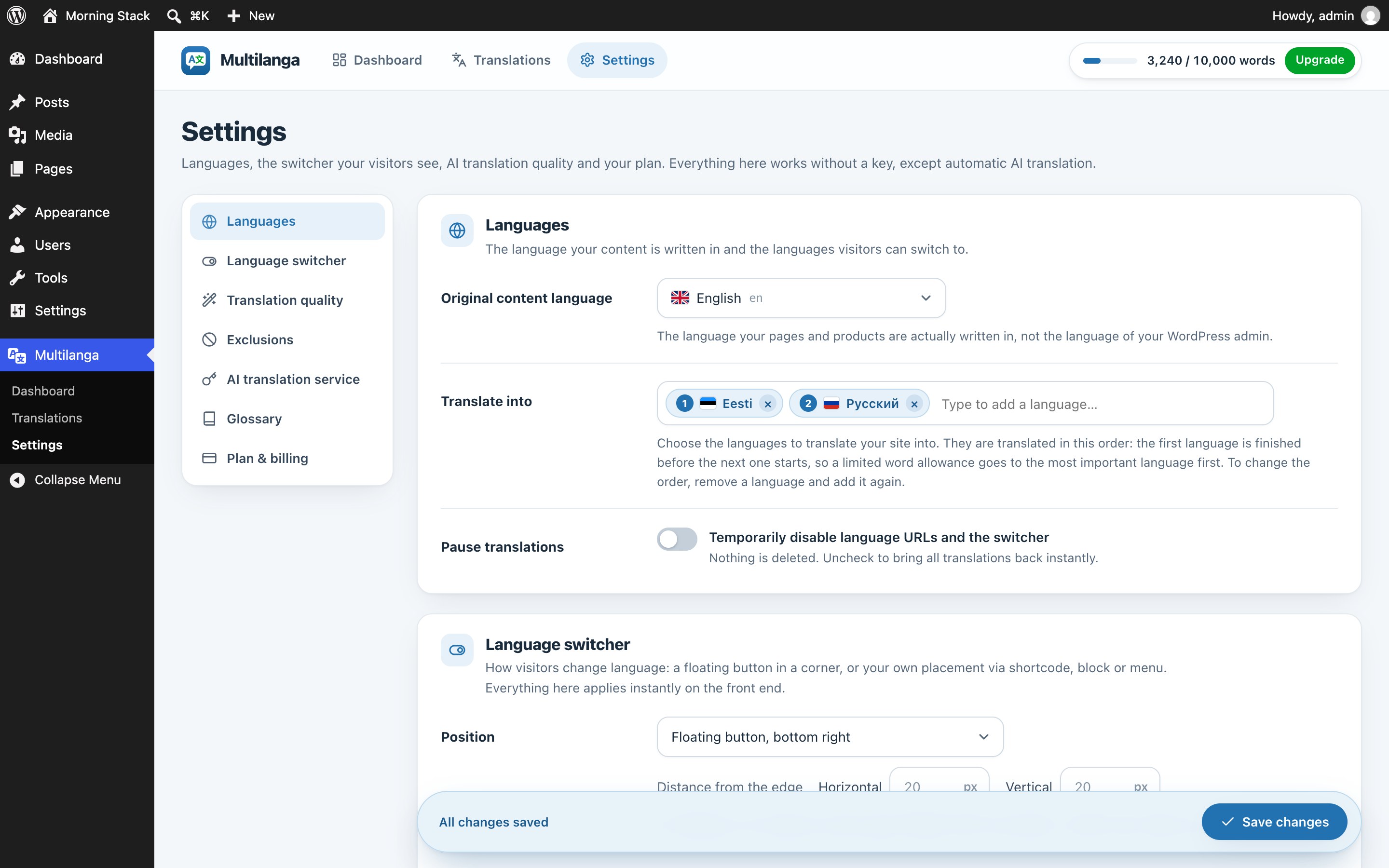
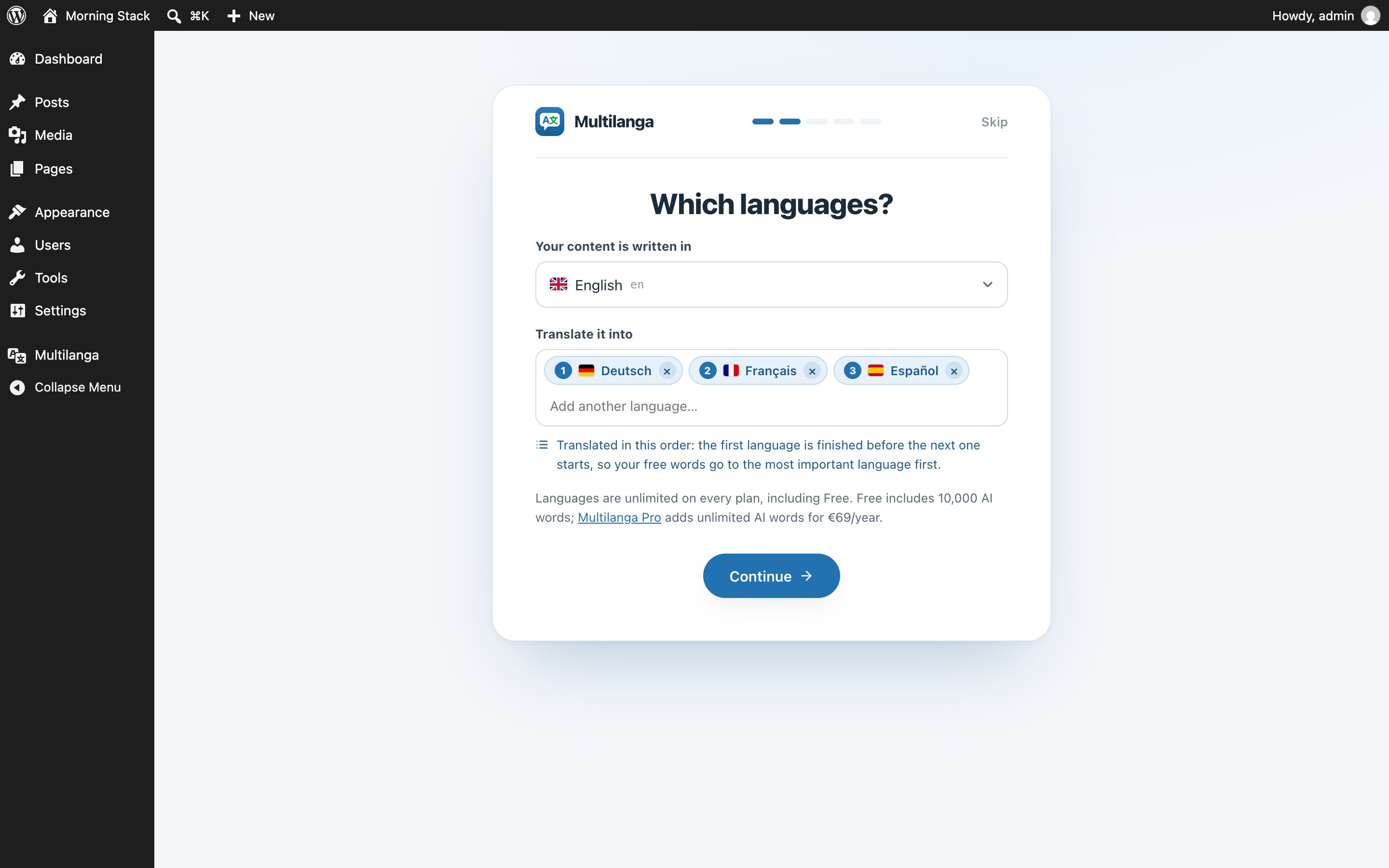
- You set the priority. Languages are translated in the order you choose: the first one is finished before the next one starts, so a limited free word allowance goes to your most important language first. Translating a page by hand always goes first.
- You own the translations. They live in your WordPress database, not our cloud. No lock-in, trivial backups; cancel anytime and your translated site keeps working.
- Automatic AI translation. New content is translated in the background; change a setting or a glossary term and re-translate everything in one click. Your manual edits are always kept.
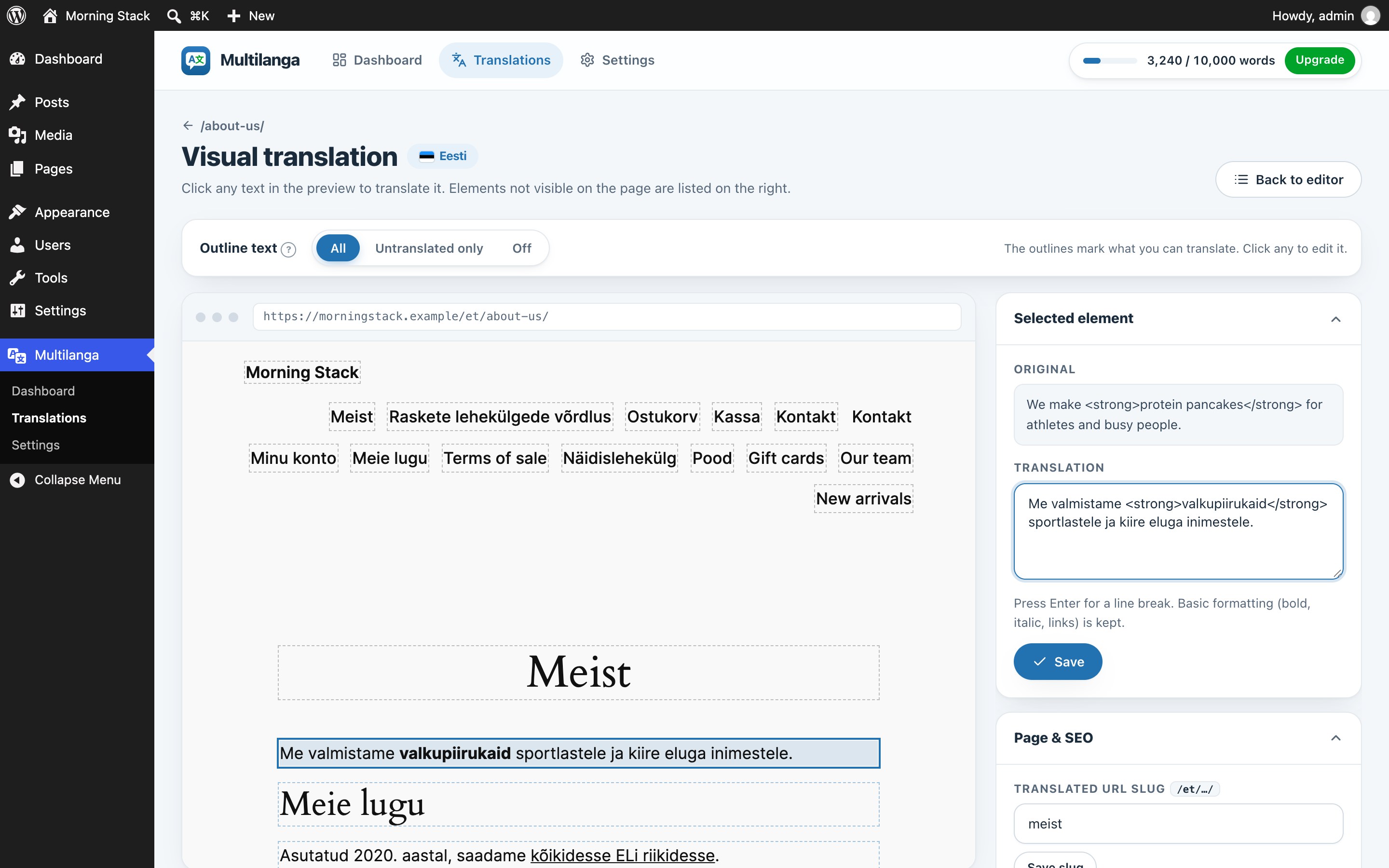
- Visual in-context editor. Open a live preview and click any text to translate it in place, with a Page & SEO side panel, or review element-by-element in a clean list.
- Served 100% locally. No external API call per visit, no flicker, and no per-view fees; a viral page costs nothing extra and your cache plugin keeps working.
- Real SEO: dedicated language URLs (
/de/,/fr/), automatic hreflang + x-default, translated titles, meta, Open Graph and slugs, localized canonicals, and a per-language XML sitemap. - WooCommerce ready: products, cart and modern block checkout translate out of the box via the Store API, plus per-language product images.
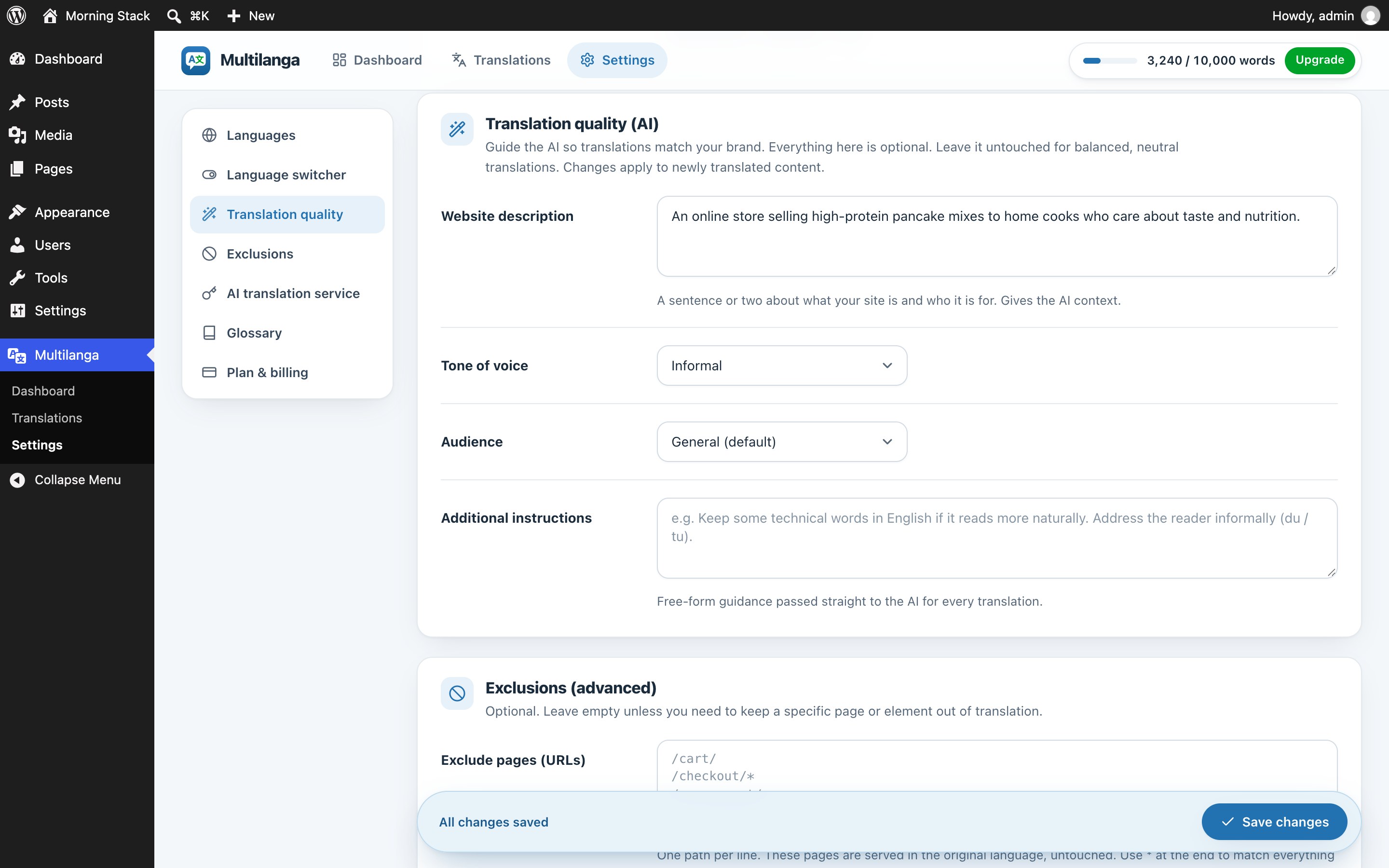
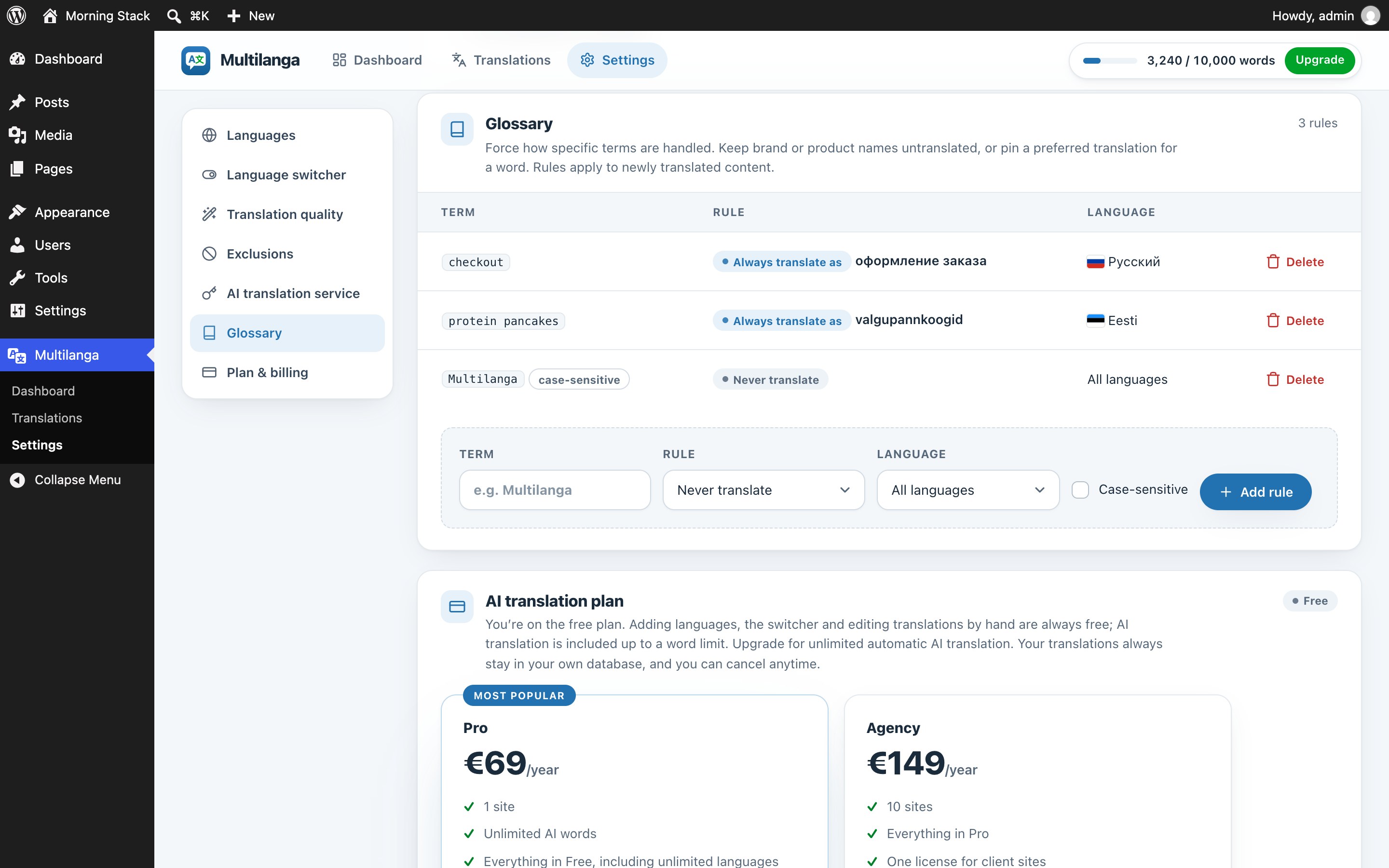
- Brand-aware AI + glossary. Set tone, audience and site context; pin an exact translation or keep brand names untranslated, per language.
- Works with any builder: Elementor, Divi, Gutenberg, shortcodes, widgets and theme strings are all covered, because Multilanga translates the rendered page.
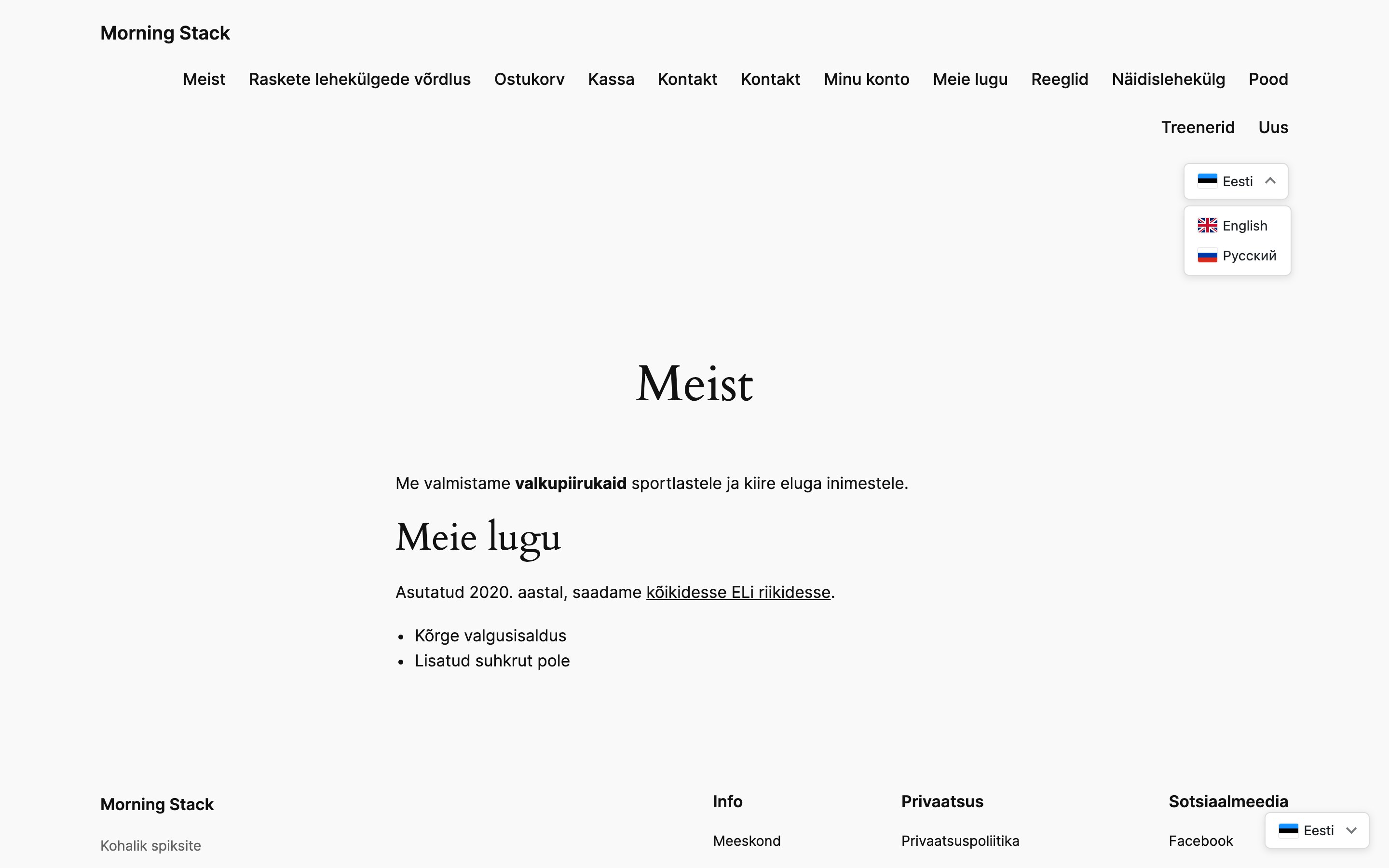
- Flexible language switcher. A lightweight floating button (with adjustable offsets), a Language Switcher block for the block editor, the
[multilanga_switcher]shortcode, or a menu item, with your colours, flags (rectangular or round), names, optional background/border/shadow and a Custom CSS box.
How it’s different from cloud translators
Cloud translation services keep your translations on their own servers and charge by words, by page views and by the number of languages. Multilanga keeps everything in your own database, serves pages locally, and never meters your traffic, at a flat yearly price with unlimited AI words on paid plans.
External Services
This plugin connects to the Multilanga API (a service by DoubleCoded) to machine-translate your content. The following data is sent:
- Content for translation: the text segments of your public pages that need translating, plus the source and target language codes. Sent by a background task when new or changed content is found, never during a regular visitor page view.
- License & site info: your license key, site URL, plugin and WordPress version, whether WooCommerce is active, your WordPress site language, your original and target language codes, the names of other translation plugins that are turned on (such as WPML or Polylang), and where the language switcher is placed (position, block, shortcode or menu use, and the last switcher error, if any). Sent only after you connect to the service (create or enter a license key): when you verify your license, once a day as a heartbeat, shortly after you change your languages or switcher position, and once after a plugin update, so your license can be validated and moved between sites you own and support can see your setup. Nothing is sent to our servers before you connect.
- Sign-up (optional): when you start a free license (in the setup wizard, the “Start translating for free” button, or the field on the settings screen), the email address shown/entered, your site URL and the site info listed above are sent to create the license. Nothing is sent until you click.
- Checkout and billing (optional): when you choose a paid plan or click “Manage billing”, your license key is sent so we can open a secure Stripe checkout or billing page; payment and card details are handled entirely by Stripe.
No visitor personal data is transmitted, and customer data in WooCommerce emails is never sent for translation. Translations are stored locally in your WordPress database.
- Service provider: Multilanga / DoubleCoded, Terms of Service, Privacy Policy.
Screenshots
Blocks
This plugin provides 1 block.
- Language Switcher Lets visitors choose the language of your site.
Installation
- Install and activate the plugin. The setup wizard opens.
- Pick the language your content is written in and one or more languages to translate into, in order of importance. The switcher, language URLs and manual editing work right away.
- To have content machine-translated automatically, enter your email for a free key (no password), or choose to continue without AI and translate by hand. You can also paste an existing key later in Settings.
- The wizard translates your homepage and the rest of the site continues in the background. Review and polish under Multilanga Translations; you can reopen the wizard from the dashboard at any time.
FAQ
-
What happens if I cancel my subscription?
-
Your site stays multilingual. All translations are stored in your WordPress database and keep being served. Only automatic translation of new content stops.
-
In which order are my languages translated?
-
In the order you choose, in the setup wizard or in Settings Translate into. The first language is translated completely before the next one starts, so when free AI words run out, your most important language is done. When you click “Translate with AI” on a page, that page is translated first, whatever its language.
-
Does it create duplicate posts or pages?
-
No. Language URLs are virtual. Nothing is duplicated in your database, and uninstalling leaves your content untouched.
-
Which page builders are supported?
-
All of them. Multilanga works on the rendered HTML of your pages, so it does not depend on how the page was built.
-
Can I edit translations manually?
-
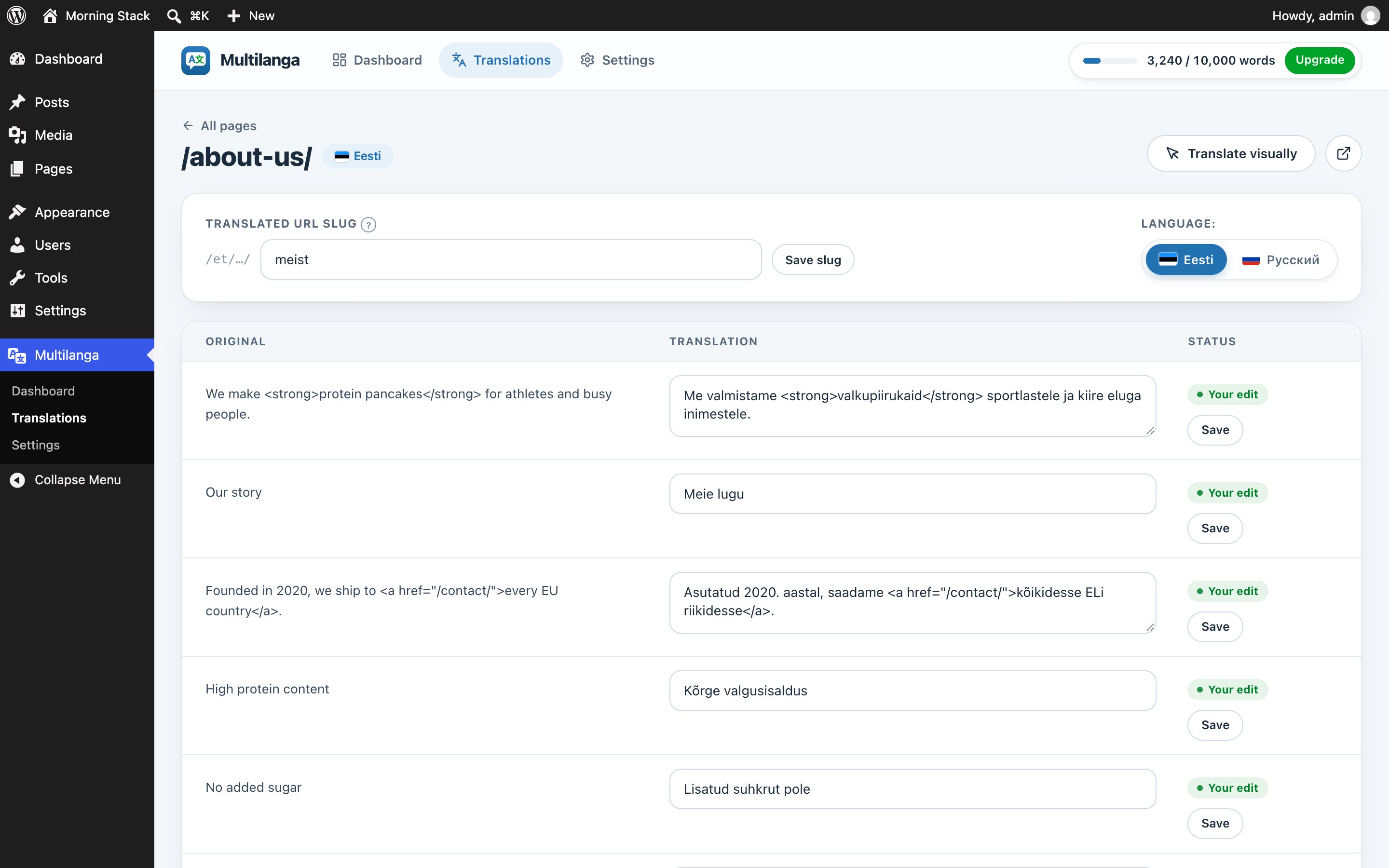
Yes, open Multilanga Translations, pick a page and edit any segment side by side with the original. Manual edits are never overwritten automatically.
Reviews
There are no reviews for this plugin.
Contributors & Developers
“Multilanga – AI Translation & Multilingual Language Switcher” is open source software. The following people have contributed to this plugin.
Contributors
Translate “Multilanga – AI Translation & Multilingual Language Switcher” into your language.
Interested in development?
Browse the code, check out the SVN repository, or subscribe to the development log by RSS.
Changelog
0.60.0
- Improved: on Pro and Agency, “Translate entire site” translates your pages, products and the 50 newest posts right away. Older posts are translated the first time someone opens them in another language, so words are not spent on posts nobody reads in that language.
- Improved: search engines are asked not to index a translated page until it is at least 90% translated, and the Multilanga sitemap lists only translated pages. Visitors and search engines never get the original text under a translated address.
- Fix: with many languages, the language switcher list now scrolls instead of running off the screen.
0.59.0
- Improved: translation no longer depends on WP-Cron. It now also runs right after a page is sent to a visitor and from the visitor’s browser, so it works on servers where a firewall or Cloudflare blocks the site from calling itself.
- Improved: a page whose translation is still in progress is not saved by page-cache plugins (WP-Optimize, WP Rocket, W3 Total Cache, LiteSpeed and others). When translation finishes, the page cache is cleared, so visitors see the translated page right away.
- Fix: no leftover
<!--?xml ...?-->comment at the top of translated pages on servers with a newer libxml.
0.58.0
- New: “Manage billing” button in Settings for Pro and Agency. Update your card, download invoices or cancel your subscription on a secure Stripe page.
- New: on Pro you can switch to Agency from Settings. You pay only the difference for the rest of the current year.
- Fixed: after paying, Settings now shows the “Payment received” message and updates the plan right away.
0.57.1
- Improved: the last setup step now shows what is still being translated in the background (for example “Pages: 14 · Products: 2”). If your free words will likely run out before the whole site is done, it says so and links to where you can choose what to translate.
- Improved: on the dashboard, a shop that has Products unticked under “Translate entire site” now sees a reminder that new and changed products will stay untranslated.
0.57.0
- New: Language Switcher block. Add it anywhere in the block editor or in your block theme’s header. For each block you can choose a drop-down list or all languages in a row, and show or hide flags and language names. Colors stay the same as in Settings.
- New: Multilanga warns you when another translation plugin is turned on (TranslatePress, WPML, Polylang, Weglot, GTranslate and others). Two translation plugins get in each other’s way, so keep only one.
0.56.2
- New: 42 more languages, 85 in total, including Persian, Urdu, Bengali, Tamil, Malay, Filipino, Catalan, Albanian, Georgian, Armenian and Kazakh.
- New: when your WordPress site language is not supported yet, setup and Settings say so instead of silently assuming English.
- Fix: Persian and Urdu sites are no longer detected as Arabic.
- Fix: translated pages always carry the right
langattribute, even when WordPress has no language pack for that language. - WooCommerce: declared compatible with High-Performance Order Storage and the block Cart and Checkout. Tested with WooCommerce 11.2.
0.56.1
- Fix: the language check now warns when your pages are written in a language you also translate into (for example an Italian site set to “English Italian”), with a one-click swap. 0.55.2 wrongly stayed silent in this case.
0.56.0
- New: custom URL prefix per language (Settings Languages Language in URLs). For example Kinyarwanda can live at /kin/ instead of /rw/, useful when the site itself is already in a /rw/ folder. hreflang keeps the language code, and old links redirect to the new address.
0.55.2
- Fix: the “Check the original language” warning no longer trusts the WordPress Site Language. It now looks only at the text of your pages, and never suggests a language you translate into.
- New: a dismissible tip when your pages are written in one language but WordPress tells search engines another (Site Language in Settings General).
- Fix: changing the Site Language now refreshes the language check right away instead of after a day.
- Fix: “My setting is right” now also hides the language warning under Settings Languages.
0.55.1
- Fix: sites installed in a subdirectory (for example example.com/shop) got language links before the directory (/de/shop/) and a server 404. Language URLs now go after the directory (/shop/de/), and pages, scans and the editor use paths relative to the site address. Existing data is migrated on update.
0.55.0
- New: redesigned admin in the multilanga.com style: app bar with navigation and your plan, dashboard with key numbers, cleaner page list, editor and settings.
- New: messages appear as toasts; risky actions ask for confirmation in place; tooltips explain the columns and options.
- New: searchable dropdowns with flags for languages, toggles instead of checkboxes, a sticky Save bar that shows unsaved changes.
- Improved: the dashboard warns before the free words run out (from 90% used).
- Improved: the setup wizard no longer pauses for up to a minute after you pick languages; WordPress language packs now download in the background.
- Improved: the wizard’s last screen tells what really happened (translated, still translating, out of free words, or AI off) instead of always claiming success.
- Improved: clearer message when your site cannot reach the translation service, plus a “Continue without AI” option.
- Improved: dashboard setup steps follow the wizard order, one “get a key” action instead of three, and “Scan site” instead of “Translate entire site” while AI translation is off.
- Fixed: text that waited for more AI words (“needs upgrade”) is queued again when a license is connected or re-verified, and after the one-time free allowance reset.
- Improved: after an update the plugin reports its new version within a minute, also on silent auto-updates.
- Improved: your language and switcher settings reach Multilanga support right at signup and within a minute of a change (were up to a day late).
- Fixed: the word counter in the top bar showed 0 on every screen except the dashboard.
- Fixed: the page list estimated words for all languages instead of the one you are looking at.
- Fixed: the wizard could report success before the homepage was translated.
- New: pick several languages right in the setup wizard. Languages are translated in the order you choose: the first one is finished before the next starts, so free words go to your most important language first. The order is kept in Settings and shown on the dashboard.
0.54.3
- Added: Kinyarwanda, Swahili, Amharic, Hausa, Yoruba, Igbo and Zulu as target languages, with flags.
0.54.2
- Improved: the original content language is now taken from your WordPress site language first. The AI detection only decides when the site language is left at the English default, and it reads your pages and menus before product descriptions, which are often pasted in another language.
- Improved: when translation pauses because the text came back unchanged, the notice offers a one-click “Use X as the original language” fix.
0.54.1
- Improved: translation requests are batched better. New text captured while visitors or search engines browse the site is collected for a few seconds before it is sent, so a large site no longer spends its hourly request allowance on tiny batches.
- Improved: when the hourly request limit is reached, the plugin waits until it frees up instead of retrying every minute, and the Multilanga screens say until when.
- Fixed: two background workers could run at the same time right after a settings change and send mixed language pairs.
- Fixed: a PHP error inside the language switcher used to hide it silently. It is now reported on the Multilanga screens.
0.54.0
- New: the setup wizard now detects the language your content is written in for every alphabet, not only non-Latin scripts, and pre-selects it as the original language.
- New: if the configured original language does not match the detected content language, Multilanga shows a one-click fix that swaps the languages. A language can no longer be both the original and a target.
- New: translation pauses automatically when the AI returns the text unchanged, which means the content is already in the target language. No words are charged, and a notice explains how to fix the languages or resume.
0.53.1
- New: the switcher now works inside the Navigation block of block themes. Add a Custom Link with the URL #multilanga to your navigation and it renders as the language switcher, exactly like in classic menus.
- Improved: the switcher dropdown now closes when you click anywhere else or press Escape, and the arrow turns smoothly.
- Fix: theme stylesheets could break the switcher layout (list padding, bullets, details styling) when it was placed with the shortcode or in a menu. The switcher’s layout is now protected against theme rules; colours and radius still follow your settings.
0.53.0
- New: the language switcher has its own settings card. Background, border and shadow can each be switched off for a bare button that blends into your design; the open dropdown keeps its panel so it stays readable.
- New: offsets for the floating button. Set the distance from the edge horizontally and vertically, so it never overlaps a cookie bar or chat widget.
- New: Custom CSS box for the switcher, applied after the built-in styles, with the useful selectors listed right there.
- Improved: the [multilanga_switcher] shortcode now has its own “Place it yourself” row with a one-click Copy button and clear instructions for pages, block themes and classic menus.
0.52.1
- Fix: a stray piece of script or stylesheet code captured as page text could get stuck as a “failed” translation that came back after every retry. Such segments are now skipped during capture and cleaned up on update.
- New: a “Discard” button next to “Retry” on the dashboard removes failed elements from the queue.
0.52.0
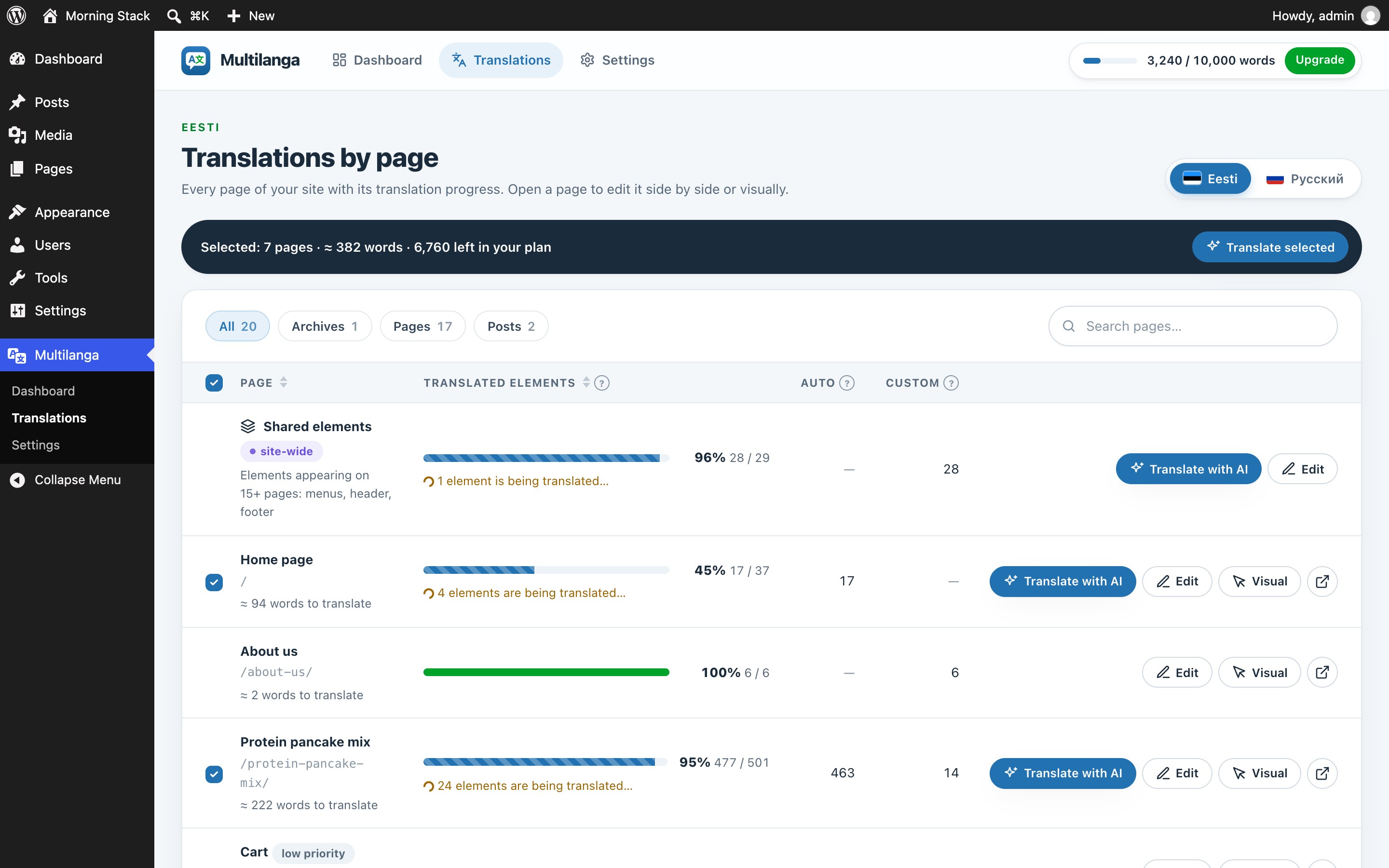
- New: pick exactly which pages to translate. The page list now has checkboxes and a “Translate selected” bar showing the running word cost against your plan. Expensive low-priority pages start unticked, so your quota goes to what matters first.
0.51.0
- New: cost preview before translating. “Translate entire site” now shows the estimated AI words needed versus what your plan has left, and warns when it would exceed your quota, so a single large page can’t quietly use it all.
- New: each page in the list shows an estimated word cost, and low-priority pages (Terms, Privacy, Cart, My account…) are tagged so you can translate the important pages first.
0.50.1
- Fixed: the dashboard could show “1 translation failed” while the page list showed everything complete, with no way to act on it. The alert now has a Retry button that re-queues every failed item (including ones no longer tied to a visible page).
0.50.0
- New: dynamic content now learns new phrases automatically. When a script shows text that has never been translated, the plugin queues it for background AI translation (within your word plan) and applies it moments later and on every later visit, with per-visitor rate limits so it can’t be abused.
Older versions: see changelog.txt in the plugin folder.