

Description
Margly turns your WooCommerce data into the answers a shop owner actually needs — not just charts, but plain-language insight into where you make money, where you lose it, and what to do next.
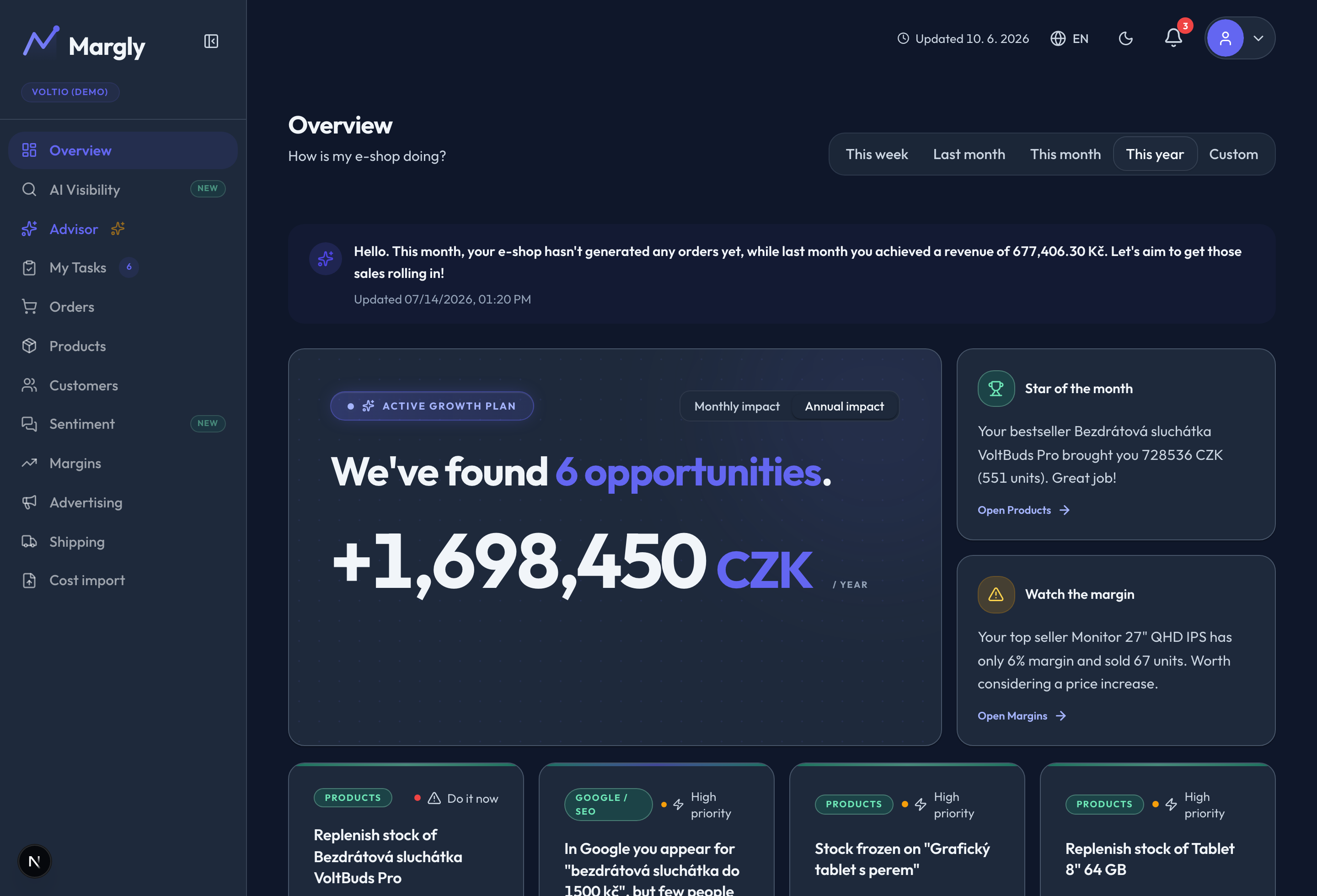
Connect your store in one click. Margly reads your orders, products and customers (read-only) and combines them with your costs and advertising to show your real profit — after product costs, logistics, marketing and ads — plus a built-in AI advisor that tells you where to focus first.
What you get
- Real profit, not just revenue. Gross margin, profit after logistics, profit after marketing and net margin — with a visual breakdown of exactly where the money goes, from revenue down to net.
- Product winners & losers. Which products are stars, which are average and which quietly lose money — per-product margins, bestsellers and ABC analysis.
- Does your advertising pay off? Return on ad spend and ad payback across Google, Meta, Sklik and more, with your true break-even — so you know whether a campaign actually makes money or just burns it.
- Customers who come back. Repeat-purchase rate and customer lifetime value, so you see loyalty, not just one-off sales.
- An AI advisor that prioritises for you. “What should I do first?” — Margly surfaces the biggest opportunities and risks and quantifies each one in money, so you act on what matters.
- Shipping & cost control. Compare carriers and keep an eye on logistics and operating costs and how they eat into your margin.
Built for WooCommerce
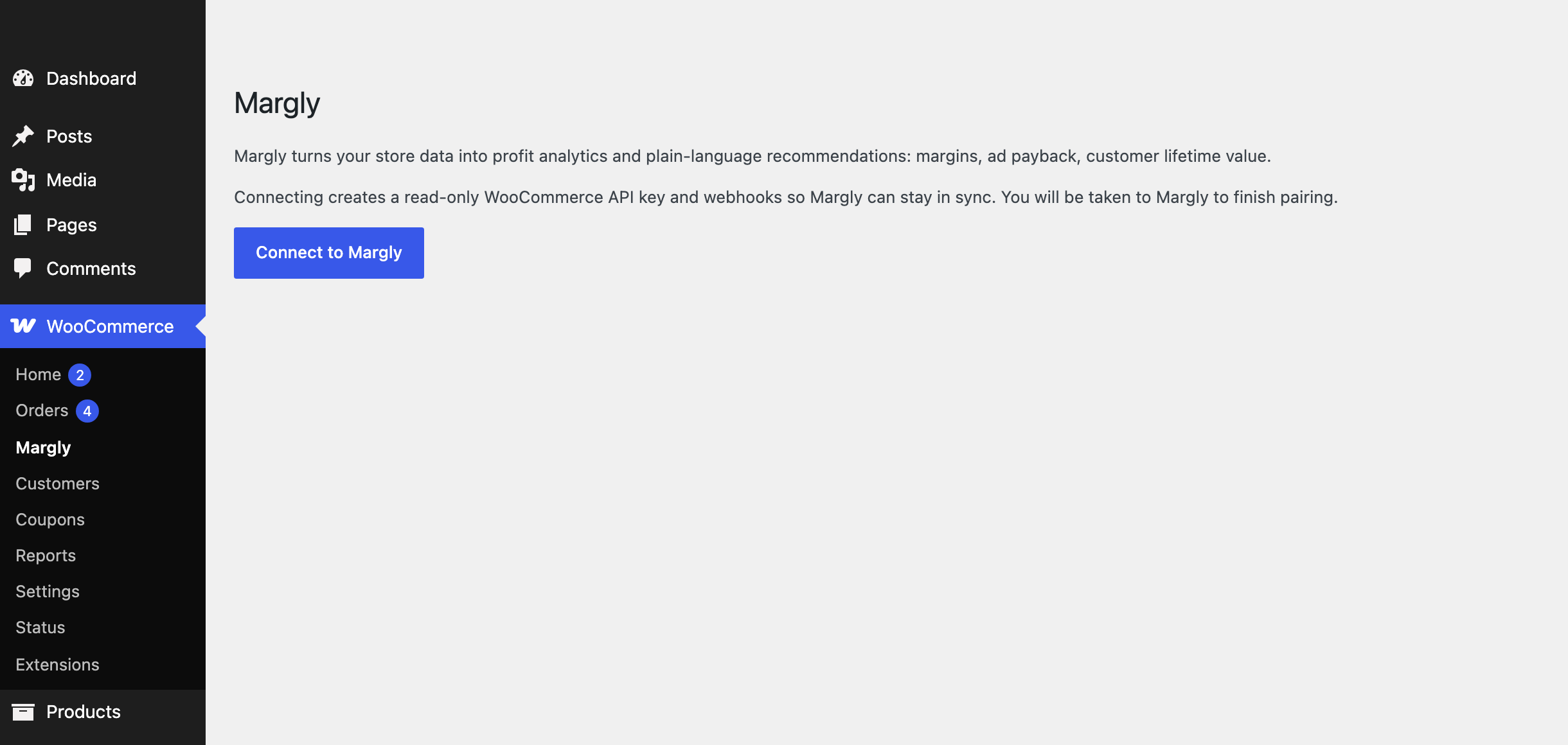
- One-click connect from WooCommerce Margly. No API keys to copy, no code.
- Read-only — always. Margly never changes anything in your store. It provisions a read-only WooCommerce REST API key and signed webhooks, so new orders show up within minutes.
- HPOS compatible (High-Performance Order Storage) and built on the standard WooCommerce REST API.
- Zero storefront impact — the plugin adds no frontend code and doesn’t slow your shop down.
How it works
- Install and activate the plugin.
- Go to WooCommerce Margly and click Connect to Margly.
- Sign in (or start a free trial) at Margly to finish pairing. Your dashboards fill in automatically.
A Margly account is required. See margly.io for plans and a free trial.
External services
This plugin connects your store to the Margly platform (margly.io):
- During connection it sends your store URL, the generated read-only API credentials, store currency/country and an admin e-mail to
app.margly.ioso your store can be paired with your Margly account. - WooCommerce webhooks deliver order/product/customer updates to
app.margly.ioso your analytics stay up to date. - Margly’s terms of service and privacy policy apply.
Screenshots


Installation
- Install and activate the plugin.
- Go to WooCommerce Margly and click Connect to Margly.
- Sign in (or create an account) at Margly to finish pairing.
FAQ
-
Do I need a Margly account?
-
Yes. Margly is a companion plugin for the Margly analytics service. You can start a free trial at margly.io — the plugin connects your store to your account.
-
Does the plugin slow down my store?
-
No. Data is pulled by Margly through the standard WooCommerce REST API and webhooks; the plugin itself adds no frontend code.
-
Can Margly change anything in my store?
-
No. The API key is created with read-only permissions, so Margly can only read data — never modify orders, products or settings.
-
What data does Margly read?
-
Orders, products and customers, so it can calculate profit, margins, product performance and customer lifetime value. Exactly what is sent off-site is listed under “External services” above.
-
What happens when I uninstall the plugin?
-
The API key and all webhooks are removed and Margly is notified so the connection is closed.
Reviews
There are no reviews for this plugin.
Contributors & Developers
“Margly” is open source software. The following people have contributed to this plugin.
Contributors
Translate “Margly” into your language.
Interested in development?
Browse the code, check out the SVN repository, or subscribe to the development log by RSS.
Changelog
1.0.1
- Added a “Restart connection” button to the connected view so you can re-pair with Margly in one step — for example after the plugin was deactivated — without disconnecting first.
1.0.0
- Initial public release: one-click pairing with Margly, read-only API key provisioning, signed webhooks, webhook health endpoint.