
Description
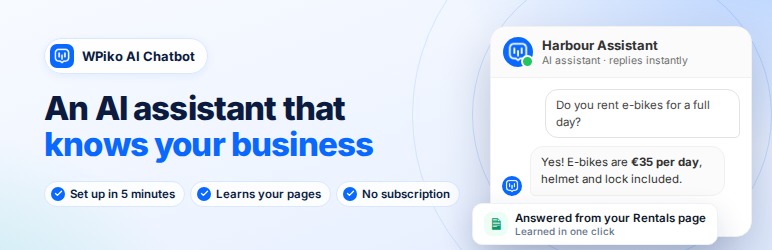
WPiko AI Chatbot adds an AI assistant to your WordPress site that answers visitor questions using OpenAI’s latest models. It runs on your own OpenAI account, so you pay OpenAI directly for what you use (usually a few dollars a month for a small site) and there is no WPiko subscription.
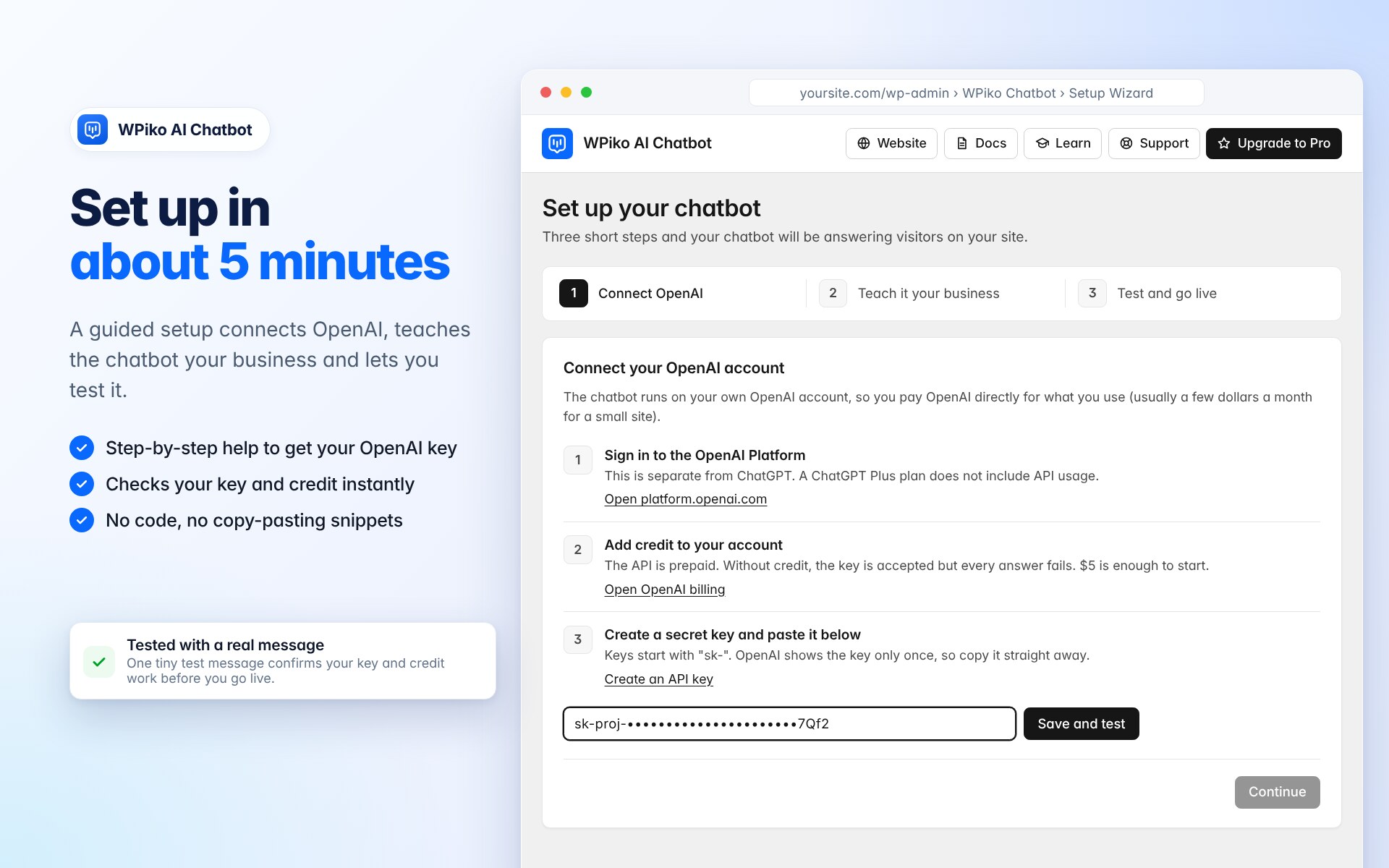
A 3-step setup wizard connects your OpenAI account, teaches the chatbot about your business from your own pages, and lets you test it before it goes live.
💬 What you can do
- Answer visitor questions 24/7 with on-brand replies
- Teach the chatbot about your business from your website pages and your own documents (PDF, Word, text, Markdown)
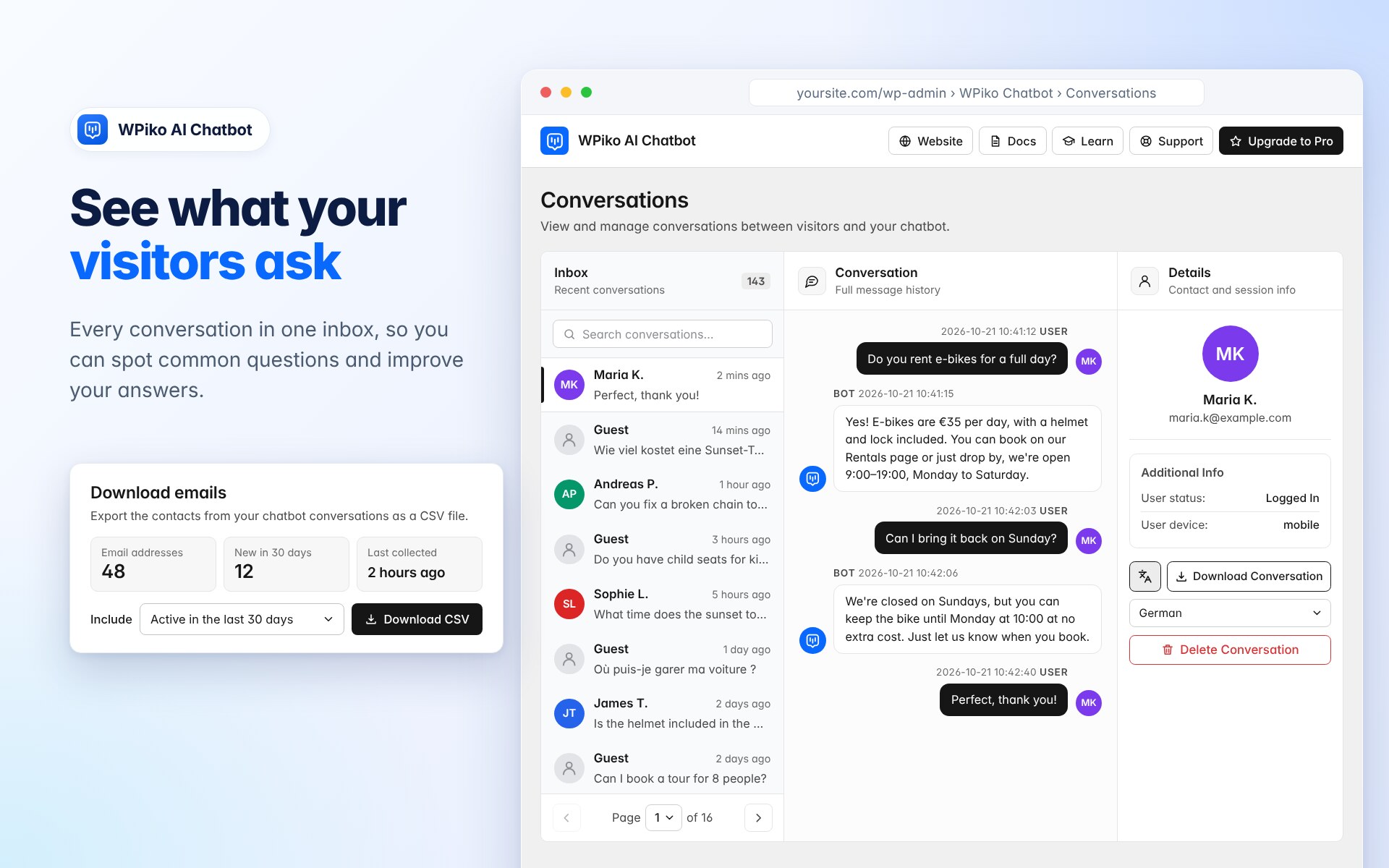
- Review conversations to see what visitors ask
- Show the chatbot on every page with a floating button, or embed it with the
[wpiko_chatbot]shortcode
🆓 Free features
- Setup wizard: connect OpenAI, teach your business and test the chatbot in about 5 minutes
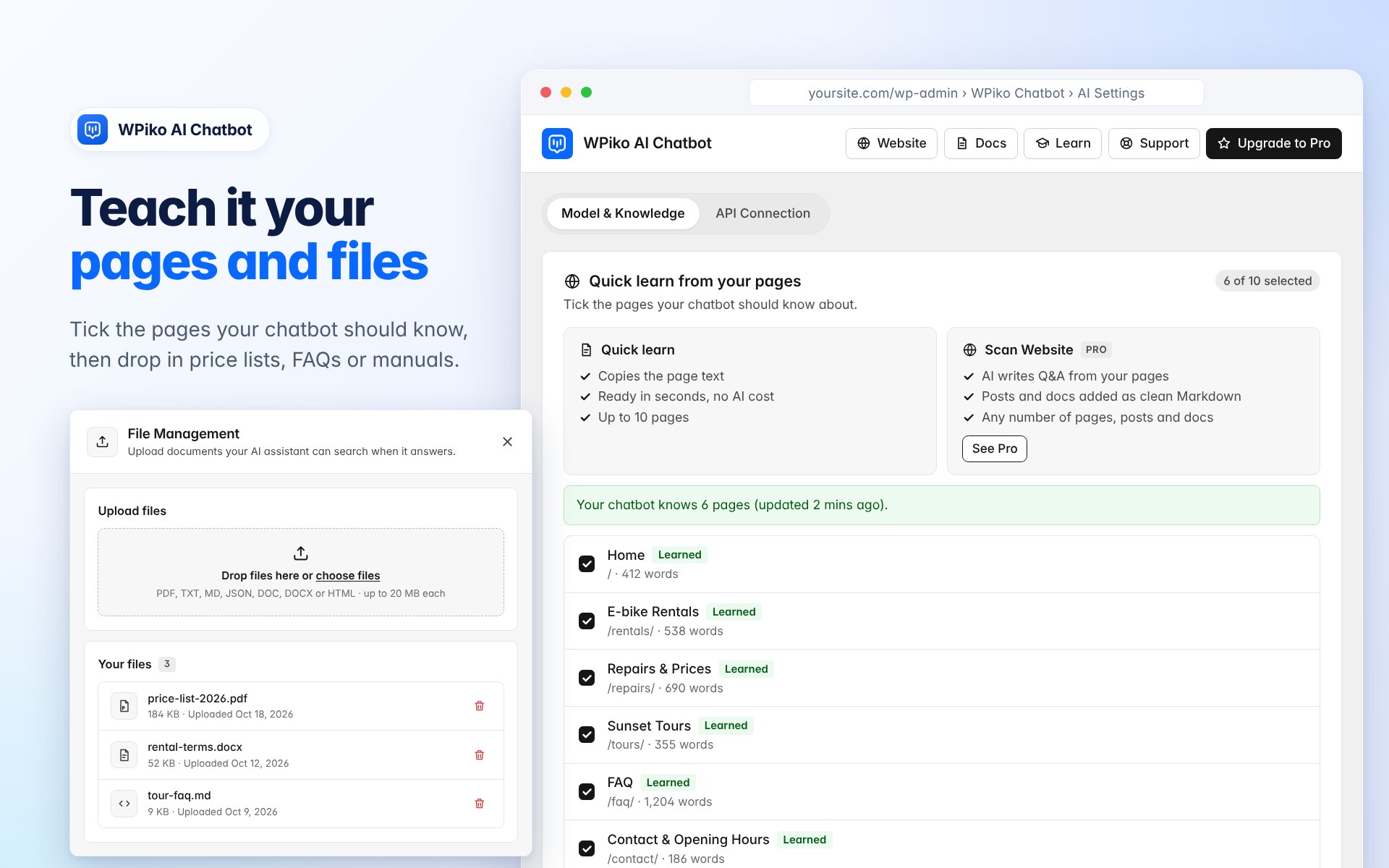
- Quick learn from your pages: pick up to 10 pages and the chatbot answers from their content
- Knowledge files: upload PDFs and documents to the chatbot’s knowledge base
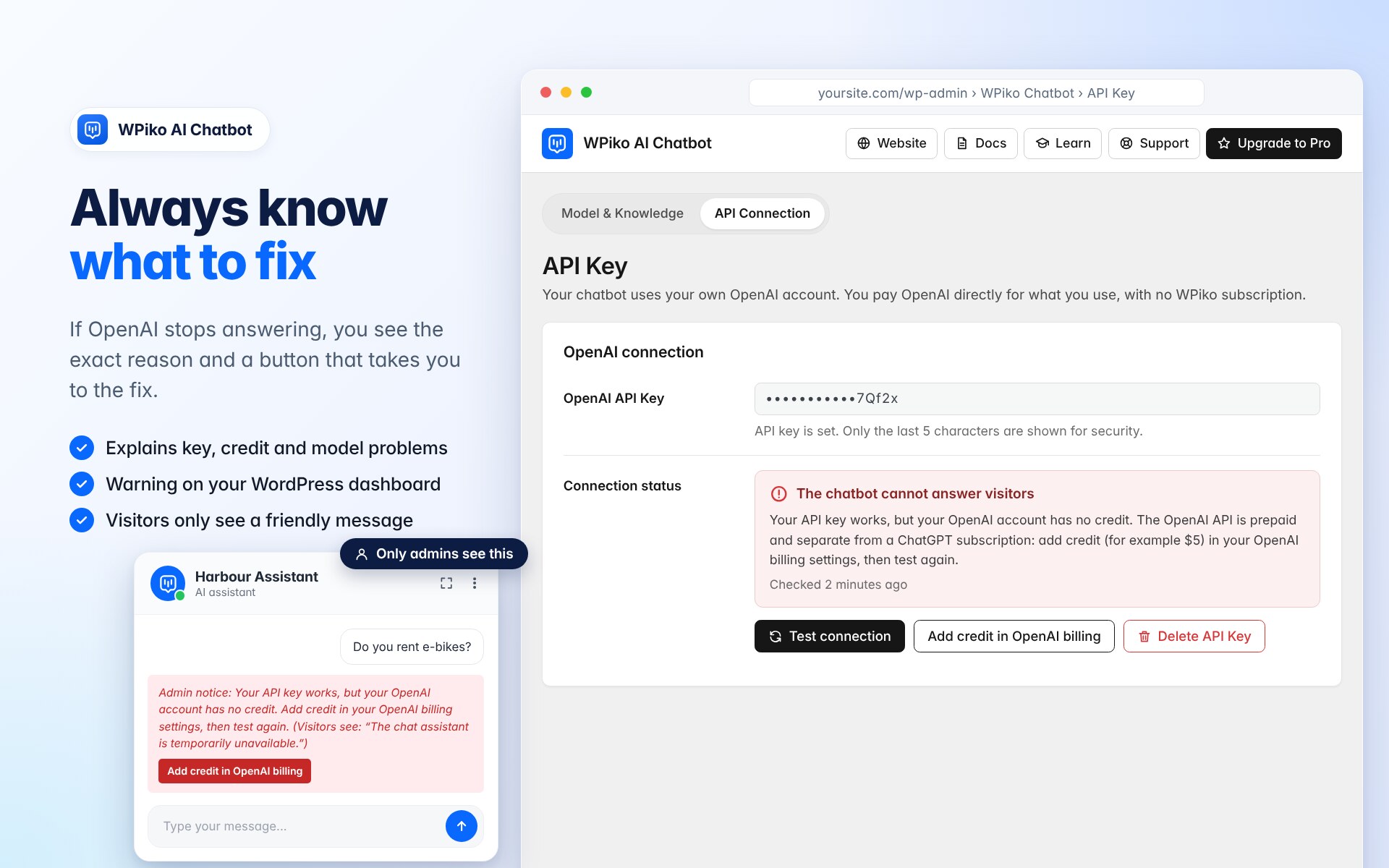
- Clear OpenAI diagnostics: the plugin tests your key with a real message and tells you exactly what to fix (for example “your OpenAI account has no credit”) instead of a generic error
- Works with OpenAI’s latest models through the Responses API, with streaming replies
- Floating chatbot and shortcode embed, with page, device and position rules
- Proactive greeting card that invites visitors to chat
- Appearance presets, colors, avatar and a live preview
- Pre-made questions and conversation starters
- Customize every interface text and error message in any language
- Conversation history with export and translation
- Per-IP hourly and daily limits to protect your OpenAI budget
- Loads its scripts only on pages where the chatbot appears
- Encrypted API key storage
🚀 WPiko AI Chatbot Pro adds
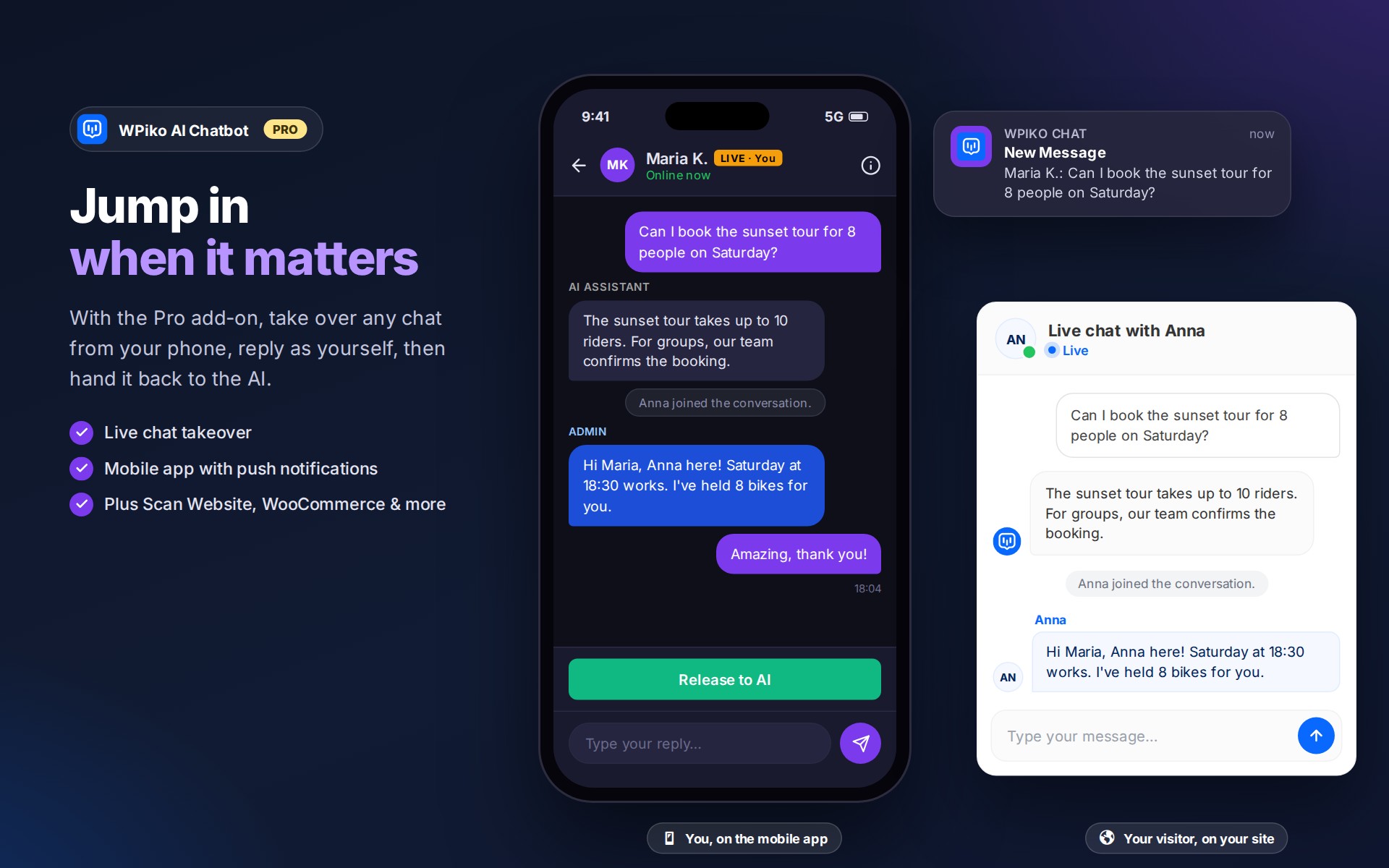
- Live chat: take over any conversation from the AI and reply to visitors yourself (Admin Takeover)
- Mobile app (PWA) with push notifications to reply from your phone
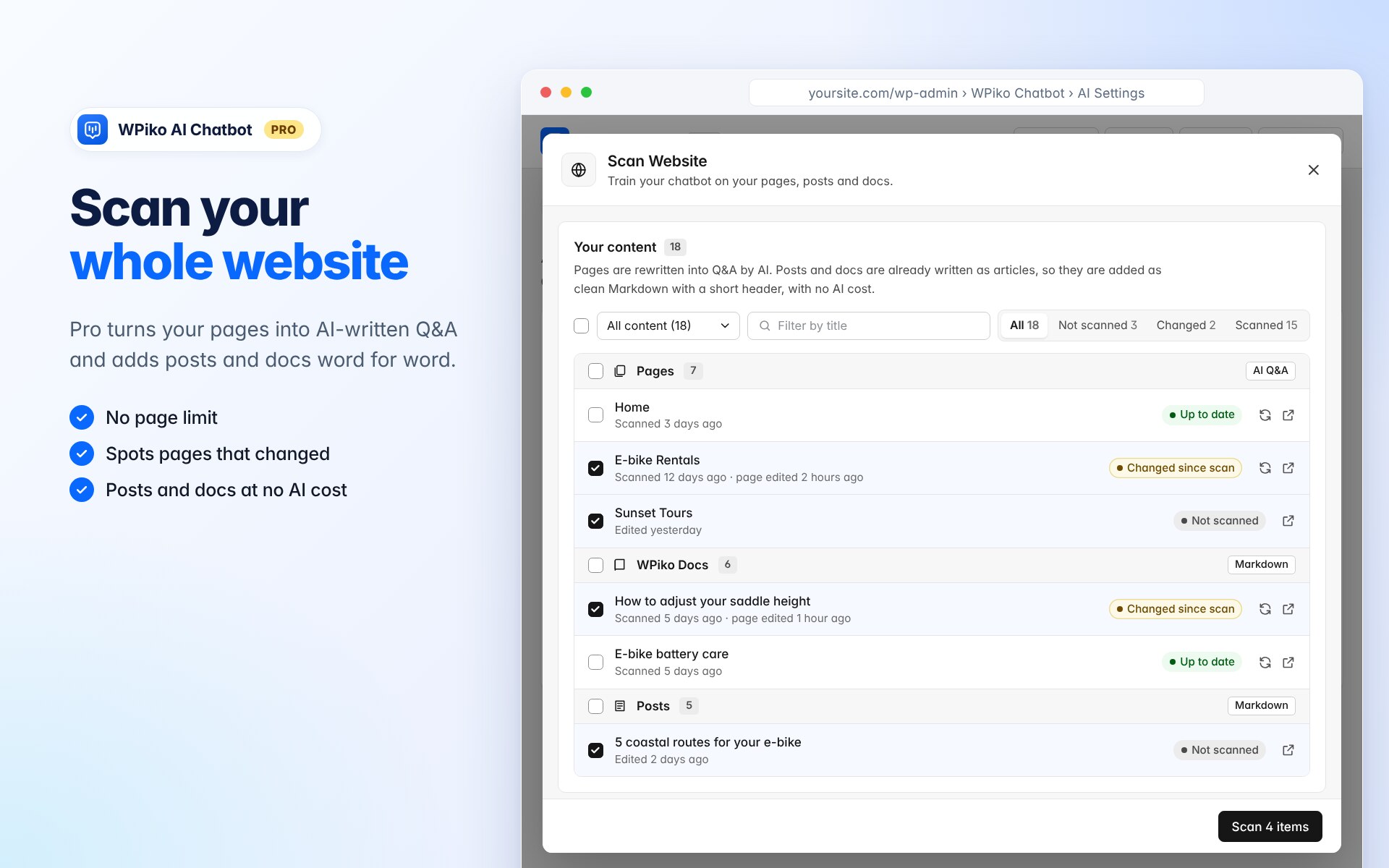
- Website scan with no page limit: AI-written Q&A from your pages, and clean Markdown from your posts and documentation plugin articles (no AI cost). Scan many at once, rescan what changed, and optionally keep posts and docs updated automatically
- Q&A Builder to control exact answers (up to 50 Q&A pairs)
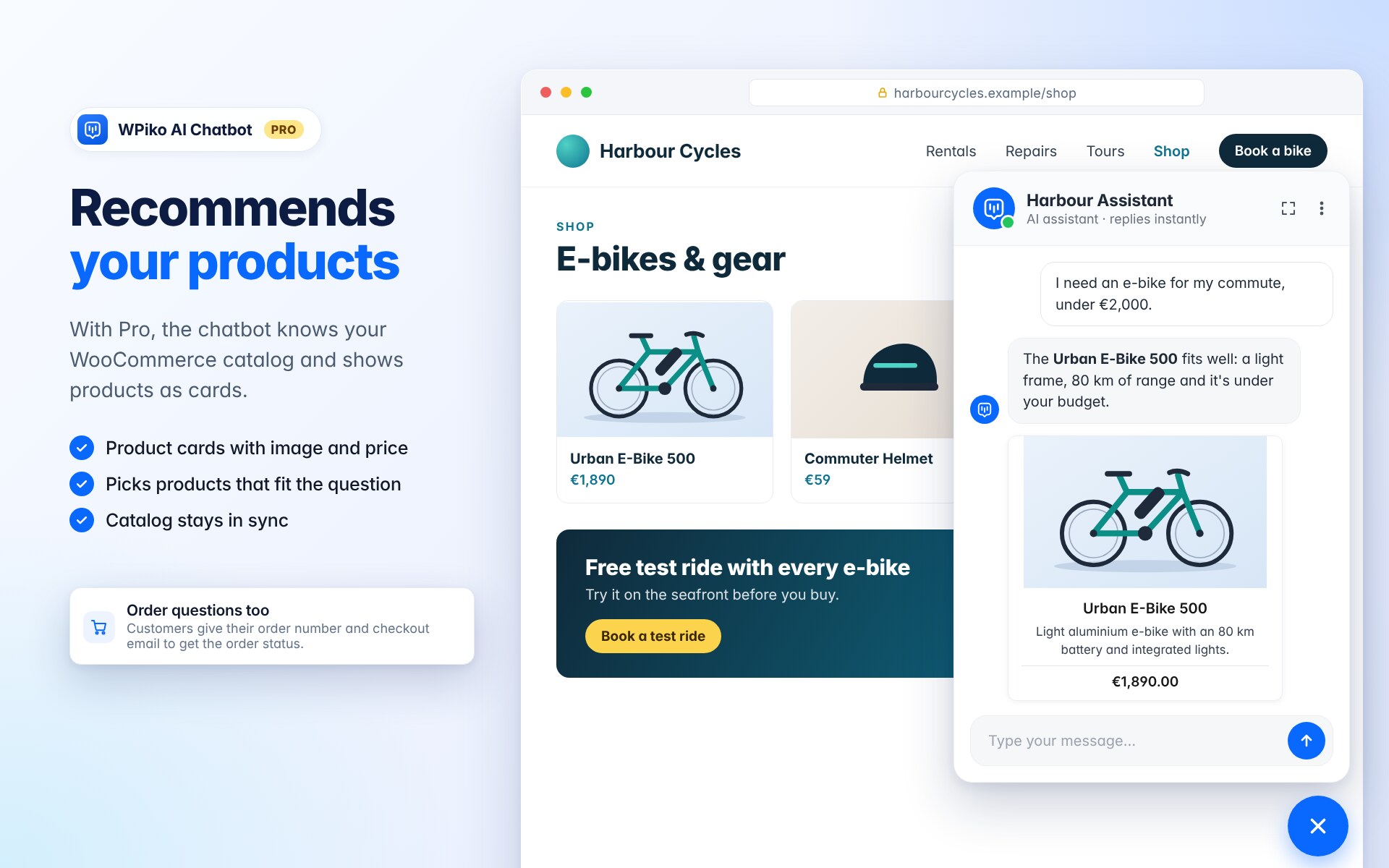
- WooCommerce integration: product cards, product recommendations and order questions
- Lead capture: email capture and a contact form with file attachments and reCAPTCHA
- Analytics: conversations, devices, locations and usage trends
- AI-assisted replies for operators and advanced conversation tools
🔑 What you need
- An OpenAI Platform account (platform.openai.com). This is separate from ChatGPT: a ChatGPT Plus plan does not include API usage.
- Prepaid credit on that account. The OpenAI API is prepaid, and $5 is enough to start. Without credit the key is accepted but the chatbot cannot answer, WPiko detects this and shows you how to fix it.
- An API key (“secret key”) from your OpenAI dashboard.
🌍 Any Language & Localization Support
You can customize every text element your visitors see, from the chatbot name and welcome message to input placeholders and error notifications. The AI replies in the language your visitor writes in, and your knowledge files can be in any language.
🔐 Fast and Secure
The chatbot’s scripts and styles only load on pages where it is shown. Your API key is stored encrypted, admin actions are permission-checked, and visitors never see technical error details.
📱 Mobile-Friendly
The chatbot adapts to phones, tablets and desktops, with touch-friendly controls, adjustable dimensions and per-device visibility.
Learn more: WPiko AI Chatbot
External Services
This plugin relies on third-party external services to provide its functionality. Below is detailed information about each service used:
OpenAI API
* What it is: OpenAI’s API service that provides access to advanced AI language models and assistants.
* What it’s used for: This service powers the core chatbot functionality, including generating responses, managing conversations, creating and updating AI assistants, handling file uploads for knowledge base, and managing vector stores for file search capabilities.
* What data is sent: User messages/questions, chatbot configuration settings (name, instructions, model selection), uploaded files for the knowledge base, conversation context, and API authentication tokens.
* When data is sent: Every time a user interacts with the chatbot, when configuring the AI assistant, when uploading files to the knowledge base, and when administrators test the API connection.
* Service provider: OpenAI
* Terms of Service: https://openai.com/terms/
* Privacy Policy: https://openai.com/privacy/
WPiko feedback service (wpiko.com)
* What it is: WPiko’s own server, which receives optional feedback about the plugin.
* What it’s used for: Understanding why people stop using the plugin, so it can be improved.
* What data is sent: Only when you deactivate the plugin, choose a reason in the feedback form and click “Submit & deactivate”: the reason, your optional comment, the plugin, WordPress and PHP versions, site language, how far setup got (API key present, connection status, wizard finished, number of learned pages, number of conversations, Pro/WooCommerce active) and days since installation. Your email address (which you can edit in the form) and your site address are sent only if you tick “You can email me about this”. Nothing is sent if you click “Skip & deactivate”.
* When data is sent: Only when you submit the deactivation feedback form.
* Service provider: WPiko
* Terms of Service: https://wpiko.com/terms-and-conditions/
* Privacy Policy: https://wpiko.com/privacy-policy/
IP-API.com Location Service
* What it is: A geolocation service that provides location information based on IP addresses.
* What it’s used for: To determine the approximate geographical location of website visitors for analytics and conversation tracking purposes (available in Pro version).
* What data is sent: The visitor’s IP address only.
* When data is sent: When a user starts a conversation with the chatbot (only if analytics features are enabled).
* Service provider: IP-API.com
* Terms of Service: https://ip-api.com/docs/legal
* Privacy Policy: https://ip-api.com/docs/legal
Screenshots


Installation
- Install the plugin from the WordPress plugins screen (or upload it to
/wp-content/plugins/wpiko-chatbot) and activate it. - The setup wizard opens automatically. You can also open it any time from WPiko AI Chatbot Setup Wizard.
- Connect OpenAI: add credit to your OpenAI Platform account, create a secret key and paste it. WPiko sends a tiny test message to confirm everything works.
- Teach it your business: describe what you do and pick the pages the chatbot should learn from.
- Test it in the wizard, then switch on the floating chatbot. Done.
FAQ
-
Do I need an OpenAI API key?
-
Yes. The chatbot runs on your own OpenAI account. Create a secret key at platform.openai.com and make sure the account has prepaid credit. The setup wizard walks you through it.
-
My ChatGPT Plus subscription should cover this, right?
-
No. ChatGPT subscriptions and the OpenAI API are billed separately. The API needs its own prepaid credit in your OpenAI Platform billing settings.
-
Almost always your OpenAI account has no credit, or the key was deleted. When you (as a site admin) chat with the bot, you see the exact reason and a link to fix it. You can also go to WPiko AI Chatbot API Key and click “Test connection”.
-
How much does it cost to run the chatbot?
-
You pay OpenAI per use. For most small sites that is a few dollars a month. You can choose a cheaper model in AI Configuration and set hourly and daily limits per visitor under User Limits.
-
How does the chatbot learn about my business?
-
Pick up to 10 pages in “Quick learn from your pages” and upload documents such as price lists or FAQs in File Management. With Pro, Scan Website covers every page, post and documentation article on your site: pages become AI-written Q&A, and posts and articles are added as clean Markdown with their exact wording. WooCommerce products stay in sync.
-
Does it include live chat?
-
Live chat, where you take over a conversation from the AI and reply yourself, is a Pro feature. The free version is an AI chatbot.
-
Can I use this for customer support?
-
Yes. It answers common questions around the clock and tells visitors to contact your team when it doesn’t know something, instead of guessing.
-
Does it work with WooCommerce?
-
The free chatbot works on WooCommerce stores and can learn from your store pages. Pro adds product cards, product recommendations and order questions.
-
Can I customize the appearance?
-
Yes. Choose an appearance preset or set your own colors, avatar, size and position, with a live preview.
-
How do I embed the chatbot on a specific page?
-
Use the
[wpiko_chatbot]shortcode on any page or post. -
Does it slow down my site?
-
The chatbot’s scripts and styles only load on pages where it is shown, and notification sounds only load after a visitor starts chatting.
-
Does the chatbot support languages other than English?
-
Yes. It replies in the visitor’s language, and you can translate every interface text and error message in the settings.
-
What happens to my data if I delete the plugin?
-
Your settings and conversations are kept so nothing is lost if you reinstall. To remove everything on deletion, turn on “Delete all WPiko AI Chatbot data” under Manage & Tools Debug Log Plugin data.
-
What is the Mobile App (PWA)?
-
A Pro feature that lets admins and agents monitor conversations, reply and receive push notifications from a phone or tablet. It runs from your website, so no app store download is needed.
-
How does Admin Takeover work?
-
A Pro feature: pause the AI and chat with a visitor live from the mobile app or WordPress admin. When you release the conversation, the AI continues where you left off.
Reviews

Contributors & Developers
“WPiko AI Chatbot – ChatGPT Assistant & Customer Support” is open source software. The following people have contributed to this plugin.
Contributors
Translate “WPiko AI Chatbot – ChatGPT Assistant & Customer Support” into your language.
Interested in development?
Browse the code, check out the SVN repository, or subscribe to the development log by RSS.
Changelog
2.1.2
- Improve: The plugin is now called “WPiko AI Chatbot” everywhere (admin menu, screens, notices and messages), and its name and description on the Plugins screen match the WordPress.org listing.
- Improve: Redesigned the plugin header, navigation, dashboard, settings pages, Conversations and setup wizard with consistent cards, controls and responsive layouts.
- Developer: Consolidated admin colors and settings controls into shared CSS and removed unused legacy styles.
- Fix: Updated downloaded transcripts to match the new styling and corrected oversized emoji in frontend transcript downloads.
- Improve: Centered the Contact User dialog, aligned its toolbar actions and made conversation action buttons consistent.
- Improve: Redesigned the Train AI popups (File Management, plus Pro’s Scan Website, Q&A Builder and WooCommerce) as one consistent window with a header, scrolling content and footer actions. They fit the screen instead of covering the whole page, open full-screen on phones, and use the new admin styling.
- Improve: The popups work with the keyboard and screen readers: focus moves into the window and stays there, Escape closes it, and focus returns to the button that opened it.
- Improve: Closing a popup with unsaved changes now asks first, and the page warns before you leave it.
- Feature: File Management has a drag-and-drop upload area, and the file list shows file-type icons, sizes, upload dates and a file count.
- Improve: Deleting a knowledge file asks for confirmation in a styled dialog instead of the browser prompt. Empty lists explain what to do next instead of showing “Disabled”.
- Fix: Pressing Enter in a popup field no longer submits the AI Settings form behind it.
- Fix: Knowledge file names are now escaped in the file lists.
- Developer: New
wpiko_chatbot_render_modal()helper andwpikoModalJavaScript API (open, close, load, setDirty, setGuard, confirm) for admin popups. - Improve: AI Configuration, Quick learn and File Management describe the updated Pro Scan Website: pages become AI-written Q&A, while posts and docs are added as clean Markdown.
- Improve: Quick learn no longer lists the WooCommerce Shop page. WooCommerce builds it from the product list, so it has no text to learn from (Cart, Checkout and My account were already hidden).
- Improve: Downloading a chat transcript no longer makes an extra server request that always failed.
- Improve: Removed debug messages from the browser console on the chatbot and admin screens, and the model debug commands from AI Configuration.
- Developer: Removed unused code: old link and model helper aliases, the legacy transcript generator and file writer, unused error-message saving, a duplicate database upgrade check, the old instructions combiner, and unused popup loaders and CSS.
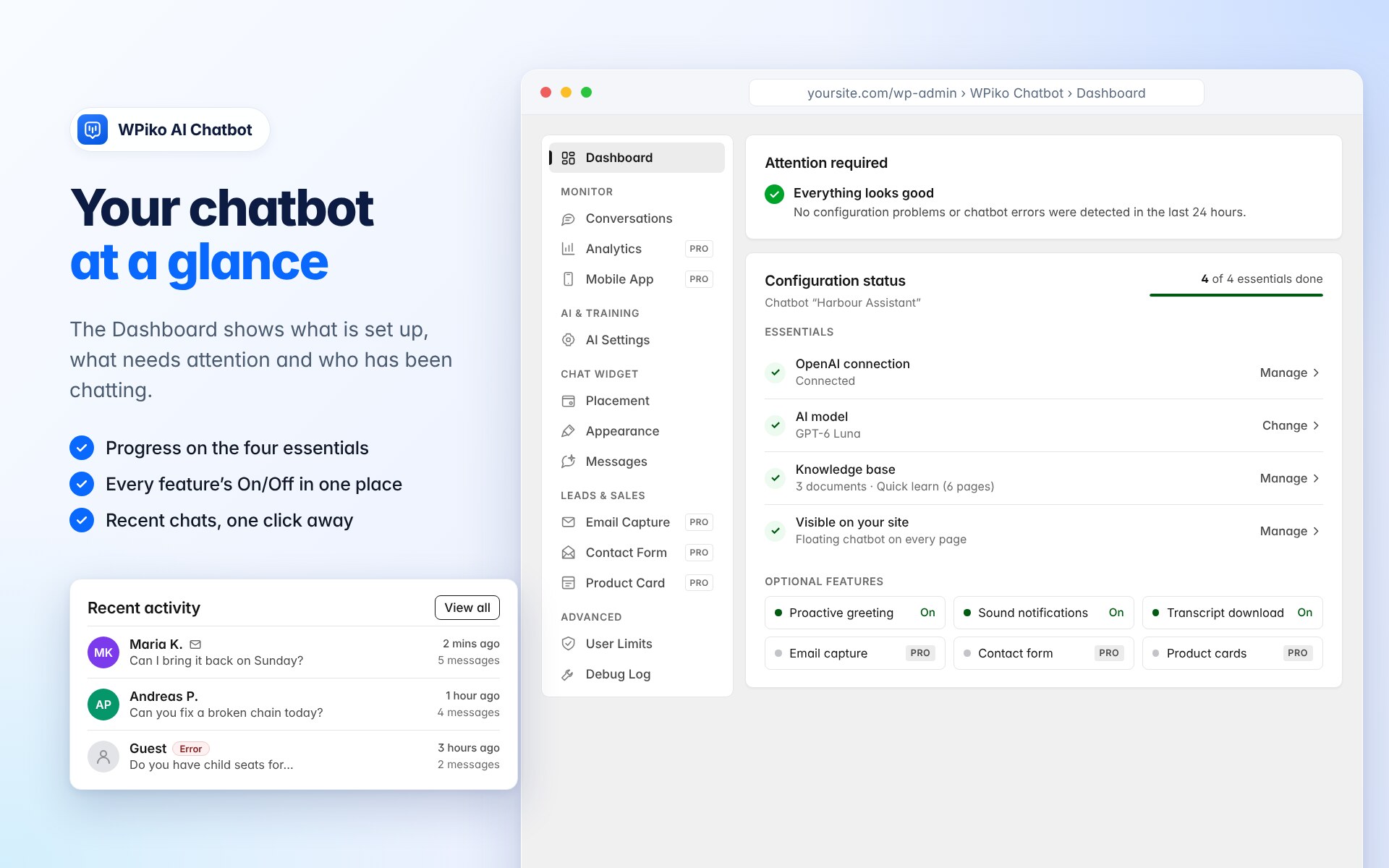
- Improve: Recent activity on the Dashboard: each conversation opens directly in Conversations, shows its number of messages and the exact time on hover, marks conversations that ended in an error, shows when a contact left an email, and shows where guests are chatting from. The empty state links to your site so you can try the chatbot.
- Fix: The Conversations inbox showed wrong “x ago” times when your computer’s timezone differed from the site’s timezone.
- Improve: Redesigned Configuration status on the Dashboard. A progress bar shows how many of the four essentials are done: OpenAI connection (including credit and access problems), AI model, knowledge base (what the chatbot can answer from, or a warning when it is empty) and whether the chatbot is visible on the site. Optional features are compact On/Off chips, and every row links to its setting.
- Developer: New
wpiko_chatbot_dashboard_featuresfilter for add-ons to list their features on the Dashboard. Rows added through thewpiko_chatbot_dashboard_config_statusaction still appear. - Improve: The Conversations inbox has a compact pager (previous, “Page X of Y” with a page picker, next) that always fits on one line, however many pages there are.
- Improve: Download emails shows how many addresses were collected, how many are new in the last 30 days and when the last one arrived. Exports can be limited to contacts active in the last 7, 30 or 90 days, and the CSV now includes name, number of conversations and first and last contact. Values that could run as spreadsheet formulas are neutralised.
- Compatibility: If WPiko AI Chatbot is updated before WPiko AI Chatbot Pro, Pro’s training popups keep working in the new design, and a notice asks you to update Pro to 2.1.2.
Older releases: changelog.txt.